
Payments
Track money owed to you by travelers (Receivables) and money you owe to vendors (Payables), all in one place.
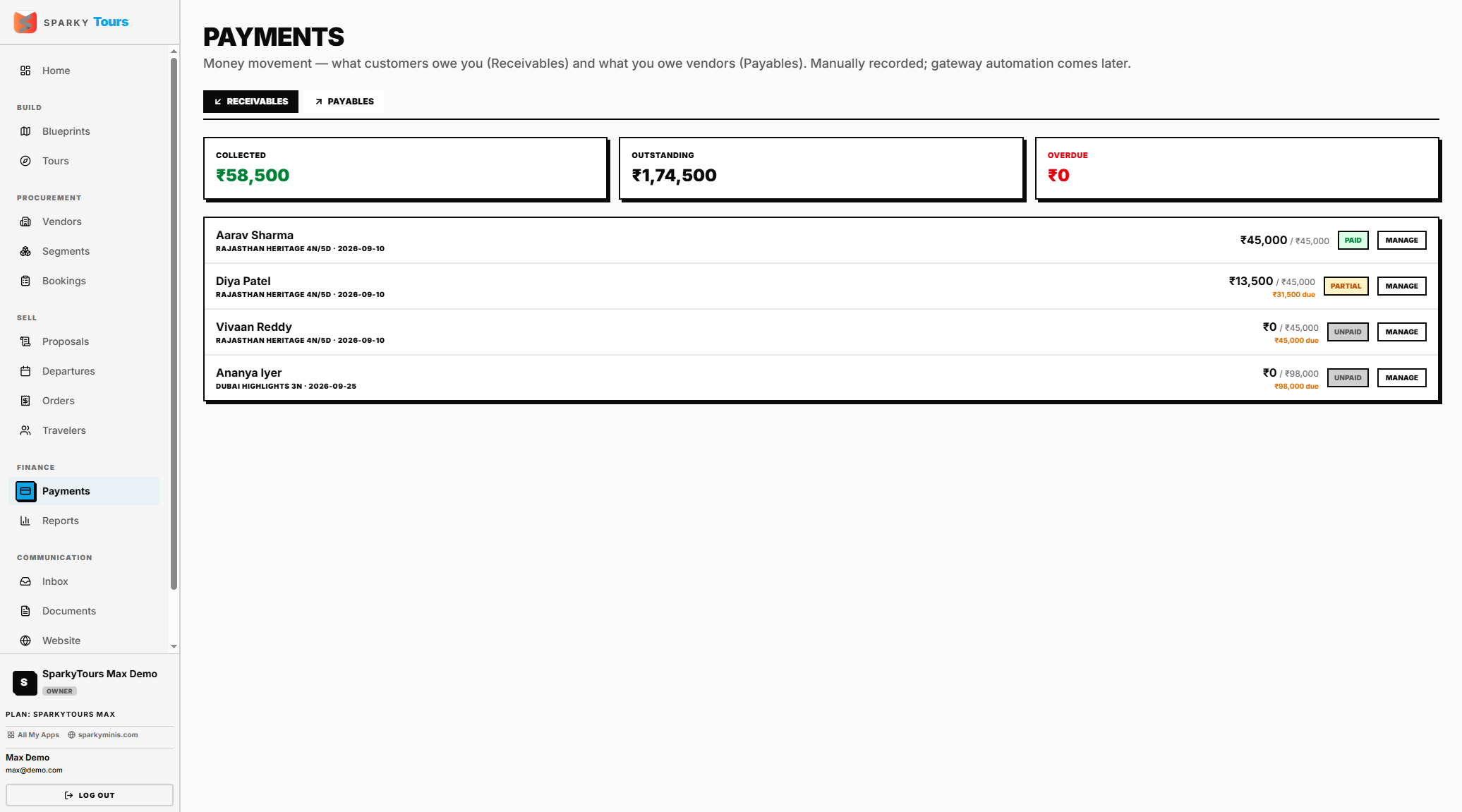
How to view Receivables and Payables
Open Payments from the sidebar. Receivables come from Orders, Payables from Bookings — each instalment's status is derived from actual recorded payments ("waived" is the only status you can set manually).
How to add or remove a payment schedule
Add a schedule against an order with an amount and due date (it's labeled "Instalment" by default). You can remove a schedule as long as no payments have been recorded against it yet.
How to record a payment received
Pick the order and amount. If you don't specify a schedule, one is created (or reused) for you automatically. Once recorded payments cover a schedule's amount, that schedule auto-marks itself paid, and once total collected covers the full sell price, the order itself auto-flips to "paid." If the order is linked to a SparkyInvoices invoice, the payment is synced there too, best-effort.
How to send a payment reminder
Email a traveler a reminder about an outstanding balance — limited to once per order per day, and it won't send if the traveler has no email on file or nothing is actually outstanding.
How to record a payout to a vendor
Pick the booking and amount — the booking auto-flips to "paid" once payouts cover what's owed.